Thursday, 8 August 2019

Priority Drive folder

This arrived just this week in my Drive (only on Domains, not Gmail accounts). It just appeared, so I thought it must be time to have a play, and I have to say, so far I rather like it.

The usual prioritised documents that Drive things one might like are still there (the one feature I am not keen on; normally I have this off in the options) but now there are workspaces which you can add document and files from Drive to. This to me is the game changer. I have always had fun in making sure documents I accessed often were close at hand. This includes starring them in Drive, but I end up with so many starred documents it can take a while to sort through them all. Searching in Drive is good, but not always easy when you can't quite remember the file name. Often I bookmark documents etc that I want to get to, but again, this can get unwieldy when there are a few docs, especially as I like to remove most names and just leave icons.

As can be seen, I have created workspaces for all of my classes and also admin and digital learning stuff- basically all of the documents I know I will need daily or every other day are in specific workspaces. I can add and remove documents, it even gives the option of using the standard Drive file picker with Recent meaning I can quickly and easily add those to the space I have in mind for them. My junior unit outlines are there and ready to go, and when we complete the unit, I can remove the old and insert the new.

 It might not be a big update from some points of view, but I can see this speeding up my workflow! If you have not got it yet, and you are on the latest version of Chrome, it is coming, jut need to be patient as with any Google release.

Thursday, 25 July 2019

Chromebook challenge update

I failed. I was trying to use nothing but my Chromebook (actually an Acer Tab 10 and an old HP running Cloud Ready Chromium OS).

What worked: planning lessons, sharing on Classroom, all of the usual bits and pieces, even showing videos and slides - just as expected. The HP connected to the projector and worked.

The issues: the Tab 10 cannot connect to external projectors (as mentioned in the previous post) which meant I had to use the HP. This was problematic, as these are OLD and the batteries last about 2 minutes before dying, so needed to be kept plugged in all the time. Surmountable, but irritating. The Kamar app is loaded on my Tab as an Android app, but due to some restriction on our network, the app does not load on our wifi. I had to hotspot to take attendance, so that is something I will have to dig into our settings and change. Sigh.

If I had a modern Chromebook with Play Store (and Kamar worked...) and connected to a projector, there is no reason why I couldn't have used a Chromebook.

Some things I have found out even over the last couple of days: Kamar are releasing a web version sometime this year, sounds good and the release screenshots look like it is going to be radically different, yay! Also, the old Chrome Remote Desktop is defunct, and the new version allows you to connect to a desktop computer (kind of a cheat workaround...) without needing to actually use the computer.

One thing I didn't factor in was access to my seismometer. This is done through the VNC desktop app. I dare say there is an online option for this, but I haven't had a good look, yet. As it happens, I can only access this on the school wifi anyway, so I just connect and update it from my office rather than walking to it. Something to look into.

This whole idea was prompted by the inclusion of a Chromebook into the NZ TELA+ scheme. I have wondered a few times whether it could be feasible to use it, instead of a laptop. By the time I renew my device in 1.5 years time, I suspect all of the issues that have prevented this from working completely this time will be overcome, in which case, I will choose a Chromebook TELA device. I'm also thinking that there will be more devices in there by then!

Tuesday, 23 July 2019

The Chromebook challenge


No, not eating a Chromebook or any of the other daft challenges that make it onto the interwebs.

I am going to try and do a complete week without my school lease laptop. First ideas were that I could get by without my Windows-based Lenovo, nice though it is. After all, I teach using Google tools and lots of other digital stuff, but can I really do everything I need in the classroom?

My first stumbling block has been my Chromebook itself. I have an Acer Tab 10 and Bluetooth keyboard, which works just fine. I can even use a USB mouse via an adaptor to simplify pointing. I know, it is a touchscreen device and I can really do without a mouse... minor point really.
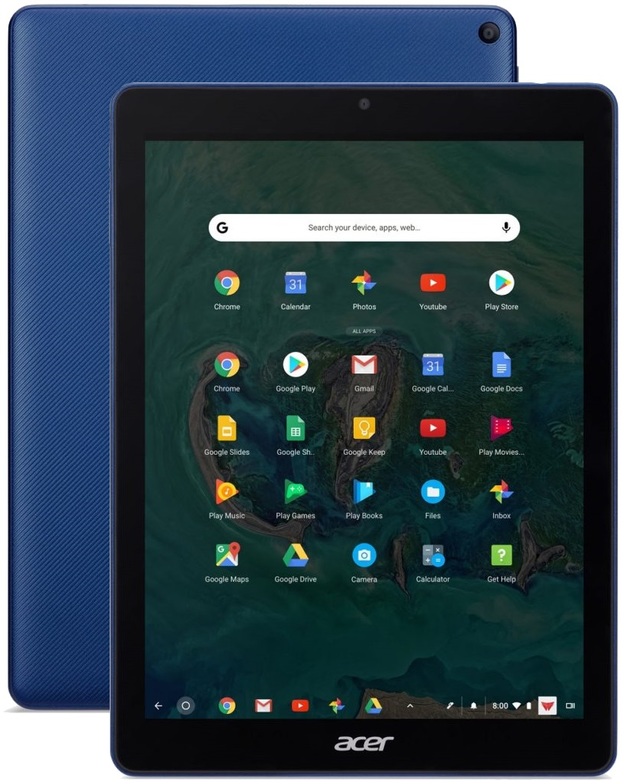
Acer Chromebook Tab 10The sticking point is that I cannot connect to an external device using the Tab 10 - it has one USB - C output which doubles as the charging socket. I have a dongle (still a small schoolboy snigger for that sentence...) to connect it to an HDMI and USB port, but it does not seem to have enough power to make the grade. I did try one of the nifty port gadgets that come with the TELA+ HP X2, and that worked, but they are over $100 and I'm not shelling out for one. I could use Nearpod or similar to create interactive lessons, but showing my classes videos would fall over without the ability to connect to a projector. It has been Googled without much success.

This issue could be circumvented, I feel. I could use my Acer C720 (no further updates coming! I'm heartbroken!) or one of my old laptops built with Chromium OS, so not a deal-breaker at this stage.

On to problem number 2. Our SMS is Kamar, and it does not have a web version YET where I can do all of the things I can do on the desktop version. I can use the app to do attendance and some basic lookup for students etc, but I can't do pastoral stuff, or book COWs - all our bookings are handled through Kamar or enter student results. I do actually like the attendance feature where you have the student's pic as well, as I can be useless at names, especially with a new y11 class... Also, I can't look at data or payments in the app.

Bitmoji ImageI was going to start on Monday with this challenge, but with two classes watching videos (12s watching Eruption, cheesy but good) and 10s watching GATTACA (just cheesy, but a good conversation starter) and therefore needing HDMI connectivity, and also booking COWs. I'm going to admit to a little cheating here. I am now going to start again tomorrow, and have already done things like bookings and data entry (hoping my colleague doesn't rush the moderation, otherwise I'll have results needing loading!) so I don't have to access the full Kamar.

In all other respects, I can do everything I need to on the Chromebook, even the tablet version. I plan in Google Calendar, keep all files in Drive, email through Gmail, listen to podcasts on Google Play Music/ YouTube and on websites, create and share work with my students, look at and mark student work, and so on. I can screencast, take photos, do basic attendance on the Kamar app, pretty much everything. Shame to be so limited because of one application and one slight issue with projecting.

Hopefully, my next post will be in a week, when I have either managed or failed, and I'll update how things went for me! Wish me luck...


Tuesday, 21 May 2019

Planet Earth and Beyond: Some reflections

For people who don’t know me too well, I am a bit passionate in a very amateur way about astronomy and geology. Currently, I am teaching ESS to my y10s (Earth Science), my y11s (Life on Mars course) and my y12s (looking into the technology to keep astronauts alive in space).
The y10s get to research an Earth Science event in NZ, not too difficult with approximately 20,000 earthquakes in NZ in the average year, plus quite a few interesting volcanoes which have occasionally caused some harm.
The 11s have been investigating Mars (sadly, no field trip…) and looking into the missions to get us to the red planet. We are just completing an investigation using Mars simulant soil (called regolith and about $350 USD including postage). The girls got to choose whether they used a specific mix of Martian regolith soil (actually basalt from the Mojave Desert) and compost with different seeds or they could try different ratios of compost to regolith with the same seed type. The results are not fully in yet, but it will give us an insight (slight pun intended for Mars geeks) into the types of food crops that could be grown on Mars.
 These are the seedlings after a few days.
 This unit is a semester-long course and is the first time I’ve run it since we scrapped NCEA for y11/Level 1. It has been fun trying to work out what we are doing in the class, the options are quite vast, and we are going to finish the term looking at as many aspects of travel to Mars as we can with lots of random investigations thrown in as I think of them. It has been a fun experience, and I had a brainwave this afternoon: mission patches or stickers (probably cheaper…) to give the girls once they complete the class, just like the NASA mission badges.
This is going to be a work in progress, and I’ll come back and write more about it once I have got my A into G and found someone to make these for me (I need to design them first).
I’ve enjoyed teaching something I am passionate about, without the need for credit chasing. Last year with NCEA Level 1 I had girls crying when they got Not Achieved grades. When did our education system make this sort of thing OK? At least with this course, we are learning for the fun of it (I’m learning heaps, too), and the stress levels are not there. My girls are learning for the sake of finding out cool stuff and this has made my life so much easier too. Learning (and teaching) is so much more fun when it is relevant or interesting; I have to say I am grateful to the school for giving us the opportunity to scrap L1 and follow our hearts instead!

Feeling Energised!

On 4th May 2019, I attended the Google Certified Innovator Energiser at Google’s offices in Sydney (photos below…) I reconnected with a lot of people who are important to me and made some new connections too. I look forward to seeing what this cohort do from here; there are some very driven graduands and I wish them well!
I have been a GCI since 2013 (SYD), and this was the first Energiser I had attended.
I have come away feeling re-Energised with the commitment to start getting my stuff out there more (coming as a result of hearing the latest projects from the graduating cohort of 2019). Part of this is making a commitment to actually really get going with my blog, PROPERLY, not just every now and then. I am going to aim for one post per month to start with, and am looking at relocating my website content into this platform instead, so I am not using a static platform for my work. I am also working on creating a How-To website for the students, teachers and whānau of my school that has a heap of hints and tips for doing things digitally – trying to upskill the school community.